
Here’s the first look at LG’s G-Slate tablet, gunning to be the best Android tablet by equipping a dual-core Tegra 2 chipset, 8.9-inch 3D display, 3D camera, and of course, Honeycomb. It also runs on T-Mobile’s 21mbps HSPA+ network. More »


Reality Bites
The federal government will decide by March 1 whether to reject a CRTC decision on usage-based internet billing, after Prime Minister Stephen Harper requested a review.

Chrome can sync a lot of things, but it couldn’t sync passwords for the longest time. We saw hints of it back in May, but as of today the Chrome Dev version has an official option to sync passwords between different Chrome installations, using your Google Account. Just head to Chrome's Preferences > Personal Stuff > Sync to enable it. You can also encrypt them with a passphrase, which is nice. We don’t know if it’ll replace LastPass as our go-to password syncer, but for those of you not using LastPass it’s a great feature to have. There’s no official announcement from Google at the moment, so just download the dev version (if you haven’t already) to check it out. [via ReadWriteWeb] More »

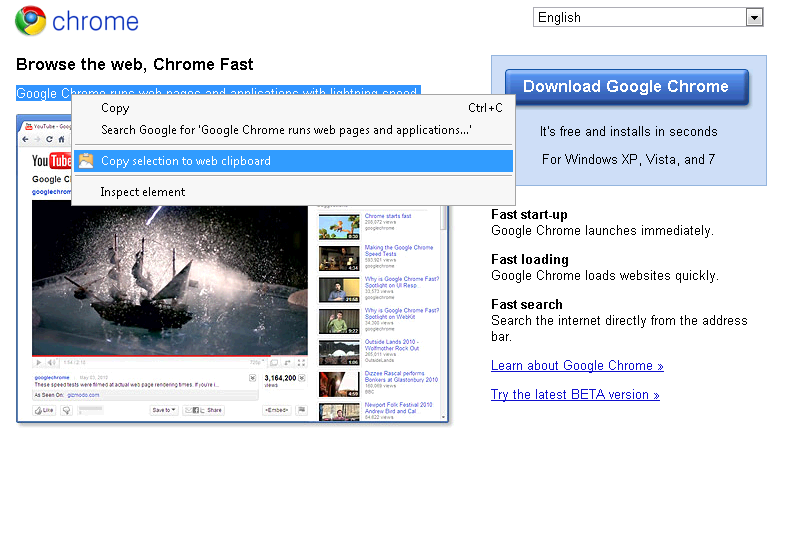
The Web Clipboard extension for Google Docs is now available in the Chrome extension gallery. It allows you to copy and paste text and images from the web into the cloud using the Google Docs clipboard. This means that all the web content that you copy and paste is stored in your online clipboard so you can access it quickly and easily across multiple browser windows. You can even copy multiple items at a time.
Copy
 Paste
Paste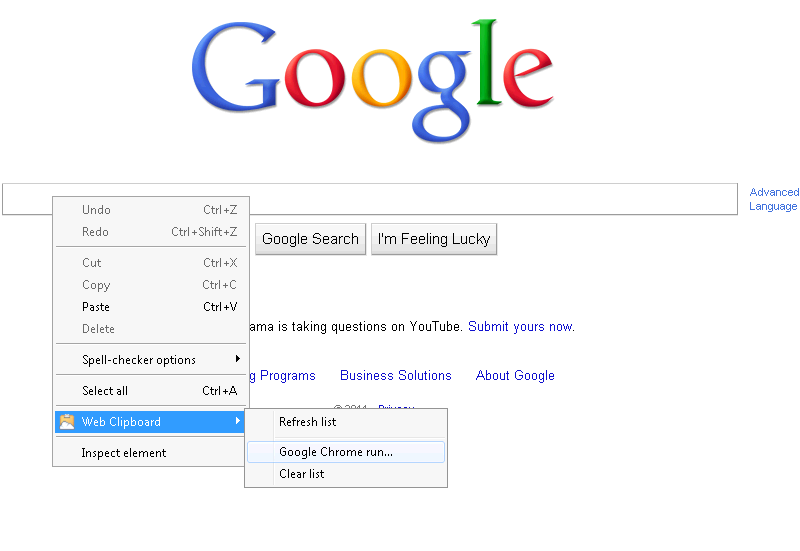 Here are some examples of things you can do:
Try it out and let us know what you think by adding a comment on the extension’s page.
Posted by: Stephen Amar, Support Engineer

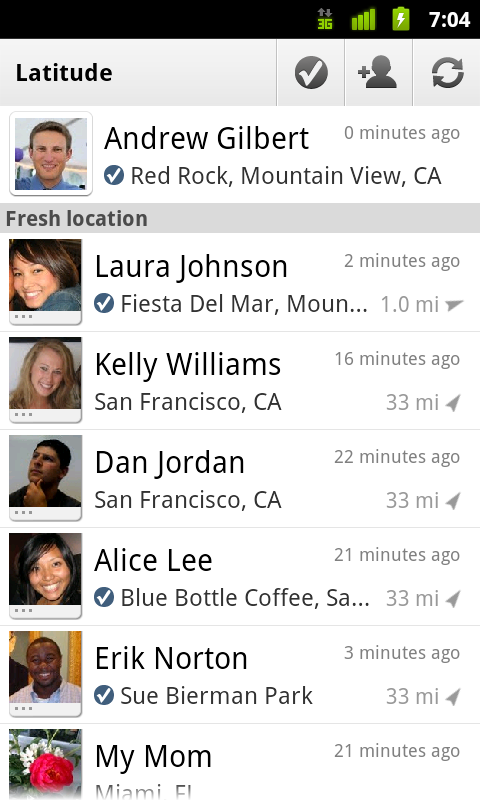
We first introduced Google Latitude to help you stay in touch with your friends and family by making it easy to share where you are. For the 10 million people actively using Latitude each month, this “where” has been a location on a map. Starting today in Google Maps 5.1 for Android, you can also connect that location to a real place by checking in there using Latitude.
Connecting your location with places
You can still use Latitude to automatically update and share your location, but check-ins let you add context to the location—like captions to a photo. For example, I live in San Francisco but often travel around the world. Until today, sharing my location let friends and family know if I was across the globe or in their neighborhood. Now, check-ins let them see the cool restaurant I’m trying in Taipei or join me for a latte at the cafe nearby.

Not your typical check-ins
Because you can use Latitude to automatically detect your location, we’ve added a few twists to checking in to make it really easy:
Explore your world one check-in at a time
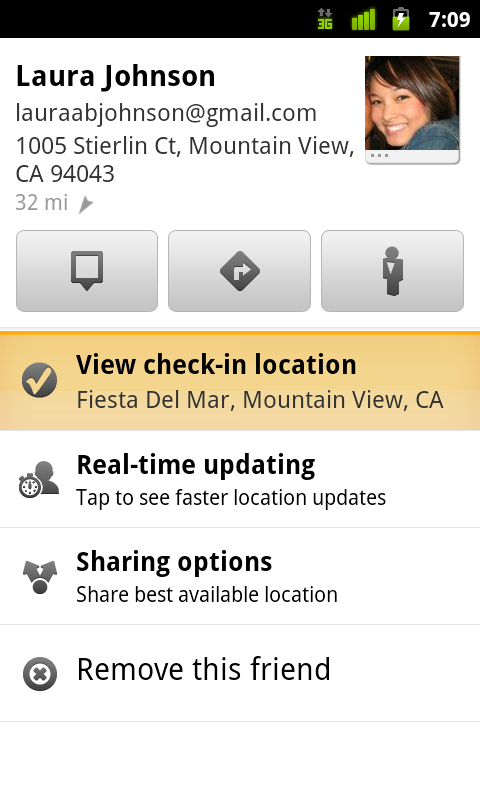
Latitude is built right into Google Maps for Android so check-ins work across Latitude and Maps seamlessly. For example, check in at that new hamburger joint, and you’ll see its Place page with reviews to help you order. When friends check in at a place, you can go straight from their Latitude profile to its Place page to learn about it, fire up Google Maps Navigation (Beta) for turn-by-turn directions to them, and more.
You can also check in at a favorite place to earn special status there; you’ll see if you’ve become a “Regular,” a “VIP” or a “Guru” on its Place page. Keep checking in to hold onto your status or reach the next level.

Of course, we thought carefully about how to make checking in to places quick and easy while giving you control over your privacy. Just like when sharing your location with Latitude, checking in is 100% opt-in, and you can choose to share any check-in with your friends on Latitude, publicly on the web and your Google profile, or just yourself. Learn more about checking in and managing your check-ins with Latitude in the Help Center. Coming later this week, you’ll also be able to see your complete history of check-ins using the optional History tab at google.com/latitude from your computer.


Start checking in by downloading the latest Google Maps from Android Market (on Android 1.6+; tap here if you’re on your phone) and then joining Latitude from the main menu. You can check in everywhere Maps and Latitude are already available. If you’re using the new Latitude app for iPhone, you’ll see your friends’ check-ins, and we’ll update the app soon so you can check in too.
Just the beginning…
Checking in from Latitude is just one step in helping you connect the places you go with the people you care about. We believe in letting you use or share your location however you like, and we’re working on making location and check-ins useful in more places—across Google and the web.
Posted by Joe LaPenna, Software Engineer, Google Latitude Team


We’ve already heard of some changes that Google’s planning to make to boost app purchases in the Android Market, and it looks like it’s now also undertaking a considerable in-house effort to increase the number of quality apps that are available. According to The Wall Street Journal, Google is planning to hire “dozens” of software engineers, product managers, user-interface experts and “others who have ideas for mobile apps,” and it’s apparently already shifted some of its current employees to work in this new “apps lab.” As you might expect, that’s being done at least in part to close the so-called “app gap” with Apple, and it looks like the new apps will reach far beyond Google’s usual properties — the WSJ even specifically mentions games as one area they’ll focus on. The apps would also apparently all be free (but possibly ad-supported), and Google is said to be trying to woo developers with its distribution power, noting that it will be able to promote the apps in the Android Market and even have them pre-installed on many phones.
Google said to be hiring ‘dozens’ to boost Android app development originally appeared on Engadget on Tue, 01 Feb 2011 13:54:00 EDT. Please see our terms for use of feeds.
Permalink  Slashdot |
  Wall Street Journal | Email this | Comments


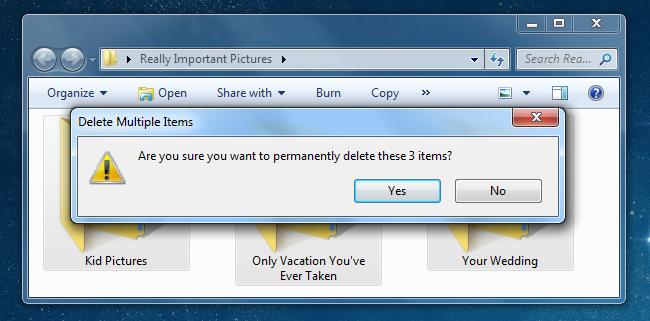
Have you ever accidentally deleted a photo on your camera, computer, USB drive, or anywhere else? What you might not know is that you can usually restore those pictures—even from your camera’s memory stick.
Windows tries to prevent you from making a big mistake by providing the Recycle Bin, where deleted files hang around for a while—but unfortunately it doesn’t work for external USB drives, USB flash drives, memory sticks, or mapped drives. Luckily there’s another way to recover deleted files.
Note: we originally wrote this article a year ago, but we’ve received this question so many times from readers, friends, and families that we’ve polished it up and are republishing it for everybody. So far, everybody has reported success!


As a boatload more people use Google to search for results than Bing could ever possibly dream of, it’s not surprising the Bing team has been caught copying and correcting top misspelled search terms, with data mined from Google’s results. More »
Google Inc. has developed a new service that will allow people in Egypt to post Twitter messages without an internet connection.

Facebook recently announced that they’re adding full HTTPS support for the site, to keep you protected from attacks like Firesheep. The feature’s finally rolling out, and here’s how you can turn it on. More »

Continue reading Modder adds FPS-style ammo counter to automatic weapon
Modder adds FPS-style ammo counter to automatic weapon originally appeared on Engadget on Tue, 01 Feb 2011 08:47:00 EDT. Please see our terms for use of feeds.
Permalink SlashGear | MichaelCiuffo (YouTube) | Email this | Comments

Let’s be honest, the original Dell Streak had a bit of an identity crisis. The 5-inch device wasn’t sure if it belonged in the tablet or smartphone world, and ultimately it was targeted at a pretty niche user. But its larger brother, the Streak 7, is more self-aware. It’s a honest-to-goodness tablet meant for doing all those tablet-y things — surfing the web, reading e-books, watching video and more. Sure, the Streak 7 may just look like an enlarged version of the 5-inch version, but they differ in more than just screen size: the 7 packs a powerful 1GHz dual-core Tegra T20 processor, 1.3 megapixel front facing camera, 5 megapixel lens on the rear, T-Mobile “4G” HSPA+ connectivity, and 16GB of internal memory. The tablet runs Android 2.2 with Dell’s Stage UI for now, but Dell promises an upgrade to Honeycomb once it’s ready. It sounds like one of the more well-rounded 7-inch tablets on the market right now and at just $200 on contract at T-Mobile (it’s $450 without), it’s actually quite well priced. However, there are quite a few things that are going to keep 7-inch tablet seekers from forking over the cash. What are those? We’ll tell all in our full review — read on for more!
Gallery: Dell Streak 7 review


Continue reading Dell Streak 7 review
Dell Streak 7 review originally appeared on Engadget on Mon, 31 Jan 2011 21:00:00 EDT. Please see our terms for use of feeds.
Permalink | | Email this | Comments
The amount of video or data that some internet customers can download or stream under their current price plans is being cut almost 90 per cent following a CRTC decision.

It’s no secret that RIM’s PlayBook is going to need a connection to a nearby BlackBerry phone to do much of its corporate heavy lifting, and a new video posted by the company today shows a little more detail on exactly how that’ll look. The one-minute, 54-second spot spends much of its time in the tablet’s email app, demonstrating how the Playbook and the Torch beside it are perfectly in sync — read an email on one, it immediately shows read on the other, and so on. We also learn that any secured corporate data that you’re using on the PlayBook while tethered is essentially on loan — it’ll disappear as soon as you disconnect, which is one of the reasons RIM’s touting this as a bolt-on for any corporate BES environment that won’t require any additional configuration or lines of data service. The video certainly doesn’t do much to appeal to the casual BlackBerry user — you know, the Curve and Pearl types of folks — but it’s an interesting watch nonetheless. Check it after the break.
Continue reading RIM shows PlayBook living in sweet harmony with BlackBerry Torch in new video
RIM shows PlayBook living in sweet harmony with BlackBerry Torch in new video originally appeared on Engadget on Mon, 31 Jan 2011 17:46:00 EDT. Please see our terms for use of feeds.
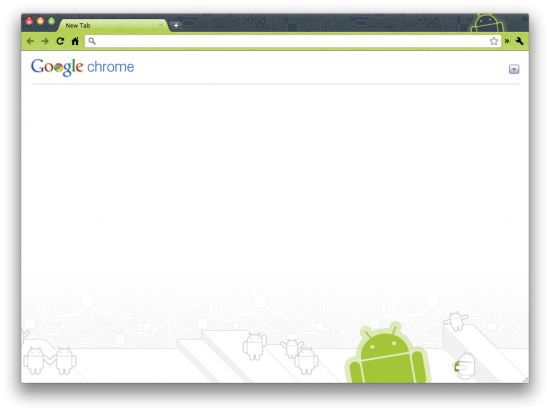
If you’ve got all your gadgets Googled out, chances are you’re rockin’ an Android Phone and browsing the web with Google Chrome. Some of you may not know that your Android obsession can transcend mobile and land directly on your browser… and in your GMAIL! The folks over at ChromeSpot are helping you get your Android on within the confines of Chrome.
If you want to go for pure aesthetics, look no further than Android Theme for Chrome and the Android Theme for GMail. Not only will your browser tabs be ballin’ Android-style, but your inbox will be infiltrated by the little bugger as well:
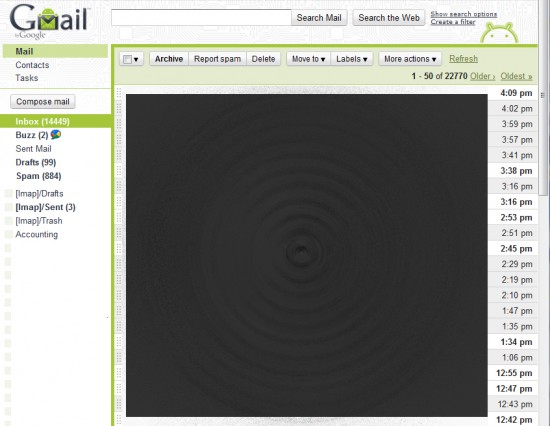
Yes, that is correct… I have 14,000+ unread E-Mail messages, so when I don’t respond to you instantly, now you know why. I’ve deleted all the subject/senders as you can see, but I’m now realizing that this Black Hole of E-Mail is a realistic symbol of reality.
Other Extensions ChromeSpot recommends for Android Enthusiasts include Chrome To Phone, Android Market Link Converter, SpringPad for Chrome, and LastPass for Chrome. Head on over to their article titled Chrome Extensions for Android Fans for the full list. We’d like to tack on an additional extension sent in to Phandroid by a reader just hours ago: the Phandroid Chrome Extension.

The Phandroid Chrome Extension only does one tiny little thing but it does it very well – it links directly to Phandroid from your browser bar for easy access. I have one main question… why would anyone need this? I mean, everyone keeps at least one Chrome Tab open with Phandroid in it 24/7 right?
If you’re doing anything interesting that mixes Android with Chrome Extensions, please share with us all in the comments!
[Thanks Jared!]
SaskTel does not have any plans to charge metered internet usage (UBB) to it’s customers. See our HS packages here: http://bit.ly/gpT13x


Finding stellar Android apps isn’t the easiest task, but that certainly doesn’t mean they don’t exist. Here’s the cream of the crop. More »


