No, it’s not an actual flexible touchscreen, but this so-called “flex” interface developed by some researchers at Osaka University is still pretty novel. Rather than simply moving content off the screen when you’re browsing something like Google Maps, it treats what’s on the screen as an elastic, flexible material and squishes the content as it gets closer to the edge of the screen, which still lets you see it while you focus on a different area. That, the researchers say, would be just as effective on phones and other devices in addition to large touchscreens, and it would obviously be fairly easy to implement. Check it out in action in the video above.
As you’ll recall from yesterday, there was one small detail that stood out in Microsoft’s announcement of a new preview program for the Xbox 360 — namely, word that the latest system update would bring with it an “updated Xbox 360 disc format.” That naturally prompted plenty of speculation, and Eurogamer now says it has heard from a “highly placed development source” who has confirmed that the new disc format actually adds 1GB of storage space to Xbox 360 discs. As the site notes, the Xbox 360’s current disc format tops out at just 6.8GB, which still leaves some room to play around with on a standard dual-layer DVD. That would also explain the free copy of Halo: Reach that Microsoft is giving out to everyone accepted into the preview program — can’t really test a new disc format without some new discs now, can you?
Do you hate the idea of all the lovely spring weather coming just around the bend? Then don Magic Vision Lab’s augmented reality weather-changing helmet. All your bucolic spring days can now be filled with sleet and misery. More »
The unprecedented flooding in Pakistan in the latter half of 2010 disrupted the lives of 20 million people, but it also affected the country’s arachnid population.
With more than a fifth of the country submerged, millions of spiders climbed into trees to escape the rising floodwaters. The water took so long to recede, the trees became covered in a cocoon of spiderwebs. The result is an eerie, alien panorama, with any vegetation covered in a thick mass of webbing. (You can see images from the region in the gallery linked below.)
However, the unusual phenomenon may be a blessing in disguise. Britain’s department for international development reports that areas where the spiders have scaled the trees have seen far fewer malaria-spreading mosquitos than might be expected, given the prevalence of stagnant, standing water.
The agency is providing aid to the communities affected by the disaster, including safe drinking water, health care, food and shelter. To reduce the population’s long-term dependence on that aid, the government agency is now offering wheat seeds and tools to farmers, and jobs and skills training for those in rural areas. However, reconstruction in the worst-hit areas is expected to take many years.
Our goal at Google is to get you the most relevant results as quickly as possible. But relevance is about relationships as well as words on webpages. That’s why we recently started to include more information from people you know—stuff they’ve shared on Twitter, Flickr and other sites—in Google search results.
Today we’re taking that a step further, enabling you to share recommendations with the world right in Google’s search results. It’s called +1—the digital shorthand for “this is pretty cool.” To recommend something, all you have to do is click +1 on a webpage or ad you find useful. These +1’s will then start appearing in Google’s search results.
The +1 button will appear next to each search result
After pressing the +1 button, you have the option to undo the action immediately
Say, for example, you’re planning a winter trip to Tahoe, Calif. When you do a search, you may now see a +1 from your slalom-skiing aunt next to the result for a lodge in the area. Or if you’re looking for a new pasta recipe, we’ll show you +1’s from your culinary genius college roommate. And even if none of your friends are baristas or caffeine addicts, we may still show you how many people across the web have +1’d your local coffee shop.
The beauty of +1’s is their relevance—you get the right recommendations (because they come from people who matter to you), at the right time (when you are actually looking for information about that topic) and in the right format (your search results). For more information about +1, watch this video:
So how do we know which +1’s to show you? Like social search, we use many signals to identify the most useful recommendations, including things like the people you are already connected to through Google (your chat buddies and contacts, for example). Soon we may also incorporate other signals, such as your connections on sites like Twitter, to ensure your recommendations are as relevant as possible. If you want to know who you’re connected to, and how, visit the “Social Circle and Content” section of the Google Dashboard.
To get started +1’ing the stuff you like, you’ll need to create a Google profile—or if you already have one, upgrade it. You can use your profile to see all of your +1’s in one place, and delete those you no longer want to recommend. To see +1’s in your Google search results you’ll need to be logged into your Google Account.
We’ll be slowly rolling out +1’s, starting in English on Google.com. If you can’t wait to start seeing +1’s, we’ll soon let you opt-in to the launch by visiting our experimental search site. Initially, +1’s will appear alongside search results and ads, but in the weeks ahead they’ll appear in many more places (including other Google products and sites across the web). If you’re an advertiser and want to learn more about how the +1 button works on search ads and websites, visit our AdWords blog.
We’re confident that +1, combined with all of the social content we’re now including in search, will mean even better, more relevant results than you get today.
It looks like NBC has ditched Wonder Woman’s heinous shiny blue pleather pants and boots. Thank goodness. Actress Adrianne Palicki was spotted filming David E. Kelley’s new series in a slightly modified Wonder Woman costume. What do you think? More »
SaskTel recently announced that their next Android device will be the HTC Incredible S. no date of when this will be available but it has now shown up on their site and given the official “coming soon” stamp. SaskTel also does a good job with their description saying this Android will “leave you breathless”: “The […]
If you are a parent, you have most likely smiled more than once while thinking about how your child views the world. Whether it’s looking up at a cloud and seeing an elephant, laughing because they hear Santa Claus on the roof, or crying because they see a monster under the bed, kids definitely live in a different world than adults.
And, who’s to say they are wrong? There are many days when I want to regress to that world, and to live that life of innocence and simplicity again. It’s a world where nothing is right or wrong, it just is. Up until now, I’ve always thought it is the vivid imagination of children that allows them to perceive things differently, but it turns out, there is more to it than that.
According to a study on New Science by Dr. Jim Stone at the University of Sheffield, UK, children really do see things differently. Apparently children do not see objects in a fully grown-up way until they are about 13 years old. There are many things that are learned about how we interpret what we see visually. You can read more about this study on New Scientist.
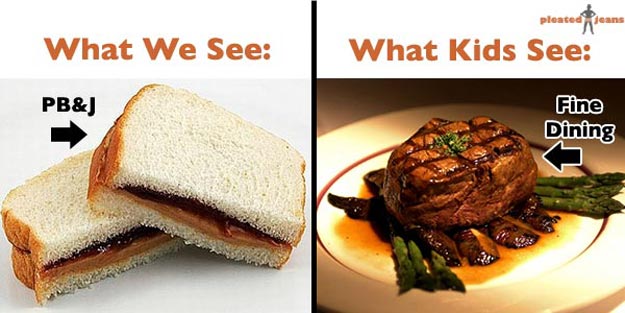
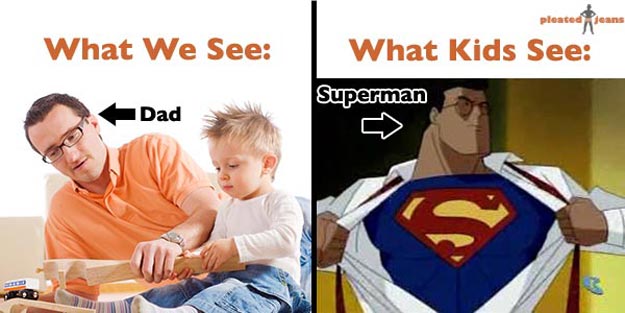
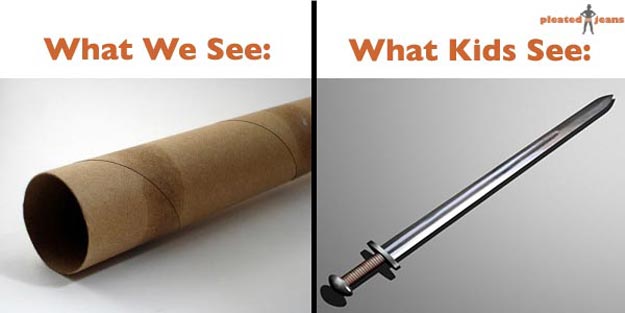
Jeff Wysaski knows all about how kids view things differently than adults. His adult vs. kid comparisons on pleated-jeans really made me laugh. It’s amazing how seeing pictures like this can bring back so many memories. If you would like to see the whole collection, go to What We See vs. What Kids See. Suddenly I have the urge to go jump on the bed.
The vagabonds of Google’s Street View team have struck again, this time conquering classical French and Italian landmarks for their mothership’s immense pictorial collection. As of today, you’re able to drop your little yellow avatar in Google Maps right atop such famous locales as the Colosseum of Rome or Florence’s Basilica di Santa Maria del Fiore, whereupon you’ll be transported right to it (or, in the case of the Colosseum, inside it) in the same way as if they were any old street addresses. This follows, of course, Google’s introduction of an intriguing indoor version of Street View for some of the world’s most prestigious museums recently and continues the company’s trend of bringing the arts, in this case classical architecture, to a wider audience. We just wonder what reason said audience will have to ever step outside with all this splendor at its fingertips indoors.
It already has one of the cutest names in cloud computing, and now it has Google Docs, too. Following up on its integration of Dropbox, Jolicloud just added support for the online office suite, which means you can access and edit all of your important missives and memos via the Jolicloud Desktop or Joli OS. Setting it up is as simple as clicking a button to link the two accounts — after that, you can browse, edit, and do whatever you do in Google Docs, and because it’s all stored in the cloud, you can pick up on one device where you left off on another. Sound familiar? For complete instructions, follow the source link below.
A few weeks ago rumours were that RIM will be expanding their BlackBerry Messenger (BBM) app past BlackBerry devices and have it available to Android and iOS devices. If and when BBM will be implemented on other platforms it won’t be the full experience that BlackBerry users love but a stripped down version. The Android […]
This is a historic moment – for the first time ever, a probe has seen the solar system’s innermost planet from orbit, and this is the photo it took just a few short hours ago. More »
You’re tearing it up in Angry Birds, finding elegant smashed-avian-solutions for every level, and then you hit a wall. No matter what you do you can’t figure the level out. Take a peek at these video walkthroughs to blast through to the next level.
If you’re a purist, you’ll just have to keep plugging along until you solve that level. If you’re stuck on Episode 3 and you’d really like to cruise on to Episode 4, it’s worth sneaking a peek. Alternatively, maybe you’ve beat all the levels but you’re having a hell of a time getting all the Golden Eggs. Whatever your motivation you’ll find the solution you’re looking for in the videos below. We’ve divided the game up into all of the thematic levels in the core game followed by the Golden Egg cheats.
Amateur video has captured the nerve-wracking landing in Rouyn-Noranda, Que., of a medical evacuation plane with front wheels that failed to dislodge until after the aircraft touched down.
The native app situation on the BlackBerry PlayBook has been one point of contention since the device was first announced, and there’s still a fair bit of confusion even now, less than a month from launch. We now have a fairly definitive answer for one key question, however, although it may not be the one you were hoping for. According to an official FAQ provided for a Verizon webinar, the PlayBook will indeed be getting native email, calendar and contacts apps in a “future software update,” but you’ll have to make do without them initially. That means either relying on the PlayBook’s web browser, or using the “Bridge” mode to access the apps on your BlackBerry smartphone. So, the PlayBook may not technically be “reliant” on a BlackBerry, but it is certainly handy to have one around.
The United States Navy has been working on next-gen weaponry ever since the last-gen was present-gen, and if the next next-gen ever actually arrives, well… we don’t stand a chance at lasting very long. According to Wired, the Navy’s Office of Naval Research is expecting laser technology (as it relates to weaponry) to mature in the next score, and if all goes well, a free-electron laser could be mounted on a ship during the 2020s. As of now, FELs produce a 14-kilowatt beam, but that figure needs to hit 100+ in order to seriously defend a ship; unfortunately for those who adore peace, it seems we’re well on our way to having just that. When it’s complete, these outrageous pieces of artillery will be capable of “burning incoming missiles out of the sky [and] zapping through an enemy vessel’s hull.” Something tells us that whole “You Sunk My Battleship” meme is just years from reappearing in grand fashion.
It was a release candidate just about a week ago and today it’s all ready to go. Firefox 4 for Android has just been released from the Mozilla labs and is now prowling the mobile internet. You can get yours at the Android Market, in no less than 10 languages, though there’ll be no Flash playback. Still, tabbed browsing, extreme customizability, and bookmark / tab / history coordination between desktop and mobile (via Firefox Sync) are all nice to have, as is the promised threefold improvement in speed over the stock Android browser. Pretty nice list of improvements for some freebie software, wouldn’t you say?