
No matter how hard you struggle, these phrases worm their way into your consciousness. No matter how much you deny it, you let them back out. Here’s a list of ten phrases too good to not repeat. More »
Reality Bites
No matter how hard you struggle, these phrases worm their way into your consciousness. No matter how much you deny it, you let them back out. Here’s a list of ten phrases too good to not repeat. More »

Whoa! The rumors turned out to be true: a 6.2-inch screen will be built into the controller for Nintendo’s next-generation Wii U console. It’ll also feature a microphone, a gyroscope, an accelerometer, dual analog controls, two shoulder buttons and two triggers, a front-facing camera, a stylus, and yes, it’s a touchscreen, too! Satoru Iwata was careful to forewarn that the Wii U’s controller was “not designed to be a portable game machine,” even if it shares some characteristics with handhelds. You will, however, be able to game and video chat even without a TV. Screen resolution isn’t given yet, but the display ratio is stated as 16:9, matching every other widescreen in your living room. Check the video after the break while we go try to hunt down some hands-on time with this multifunctional new beast of a controller.
Gallery: Nintendo Wii U Controller


Gallery: Nintendo Wii U press images


Continue reading The Wii U controller, revealed! (video)
The Wii U controller, revealed! (video) originally appeared on Engadget on Tue, 07 Jun 2011 12:46:00 EDT. Please see our terms for use of feeds.
Permalink | | Email this | Comments

We consume an enormous amount of sugar, whether consciously or not, but it's a largely misunderstood substance. There are different kinds and different ways your body processes them all. Some consider it poison and others believe it's the sweetest thing on earth. Here's a look at the different forms of sugar, the various ways they affect you, and how they play a role in healthy—and unhealthy—diets. More »


Android/iOS: Pulse, an elegant news reader that side-scrolls your feeds, has been updated with some great functionality: You can now save stories to the newly launched Pulse.me web service or other read-it-later apps like Instapaper, and sync your starred items with Google Reader. More »

Since Motorola delayed the launch of the LTE-equipped Droid Bionic to carry out “several enhancements,” we’ve debated if this might entail swapping out Tegra 2 in favor of a PowerVR GPU. But now leaked photos are starting to surface, and it would seem that Motorola went and redesigned the body, too. These pics reveal a phone what might be a 4.5-inch qHD display running Gingerbread — not the 4.3-incher with Froyo that was originally slated to ship this spring. Even more intriguing, the revamped handset sports an Atrix-like docking connection, suggesting that new and improved user experience will include the option of a so-called lapdock. And, as an added flourish, Motorola smoothed out the rubberized back cover, nixing the pattern it had at CES. No further word on a launch date, but for now you can get your fill of spy shots at the source link.
New and improved Droid Bionic getting a 4.5-inch display and docking connection? originally appeared on Engadget on Tue, 07 Jun 2011 10:11:00 EDT. Please see our terms for use of feeds.
Permalink  Android Central, Mobile Gearz, Smartphone News |
  PhoneHK | Email this | Comments
A 1.0-liter, three-cylinder engine increases fuel efficiency and lowers exhaust temperatures.
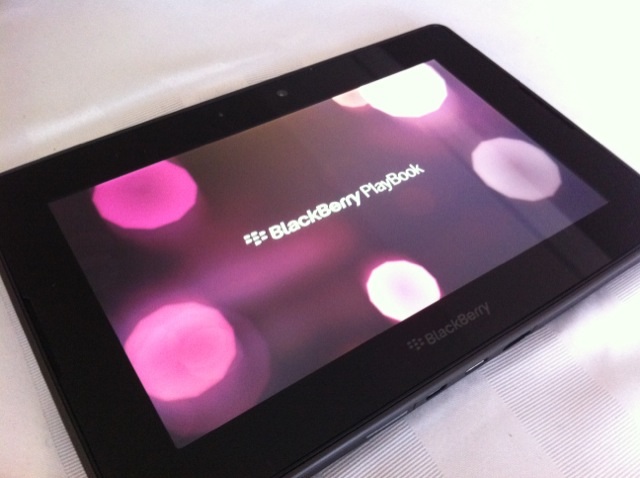
RIM has pushed out an OS update for the BlackBerry PlayBook. Version 1.0.5.2304 is now available for download and you can upgrade this by going to the “Setting” menus and check “Software Updates”. The upgrade includes several features that include video uploading and search enhancements for Facebook for PlayBook, more languages (French, Italian, German, Spanish, Dutch and UK English), support for In-App payments and but probably the best upgrade is to the battery. RIM has now made it possible to charge the PlayBook while its turned off and also you can now touch the battery indicator to adjust display brightness. Full details are below of all the updates:
– Facebook for BlackBerry PlayBook — The first Facebook app optimized for tablets now comes preloaded and introduces new features including video uploading, message deletion, Facebook search enhancements and more
– In-App Payments Support — Enables developers to create apps for the BlackBerry PlayBook using the BlackBerry Payment Service, which will allow users to purchase enhancements within apps such as another level in a game or a new edition of a magazine
– Additional Language Support — Updates language support to include: French, Italian, German, Spanish, Dutch and UK English
– BlackBerry PlayBook Charging Enhancements — By simply touching the battery indicator on the BlackBerry PlayBook home screen, users can easily adjust the screen brightness or choose to restart, turn off, or put the tablet into standby mode. Other charging improvements include the ability to charge the PlayBook while it is turned off, as well as an on-screen alert to notify users if they accidentally have plugged in an incorrect charger into their BlackBerry PlayBook
– Video Chat Connectivity — Adds support for the TURN (Traversal Using Relay NAT) protocol, which enhances Video Chat connections between users on home, public and enterprise Wi-Fi networks
– Wi-Fi Hotspot Detection — Automatic Wi-Fi hotspot detection in the BlackBerry Tablet OS v1.0.5 makes it easier to connect to a Wi-Fi hotspot (at a coffee shop or an airport, for example)
– Headset Audio Boost – This new option allows you to add an extra level of volume to help maintain an enjoyable audio experience with your headset in noisier areas, such as airplanes.
Source: InsideBlackBerry
Related posts:

Uh oh, Skype’s experiencing its second big outage in the space of just a couple of weeks, as we’re hearing reports from the UK, Netherlands, and yes, even Bulgaria, claiming the online communications service is down. Our own Skype clients are currently unable to move past the “Connecting…” status note, both on Mac OS X and Windows 7. While we’ve confirmed it in Europe, the issue seems to be affecting people all over the world. Nonetheless, Skype believes only “a small number” of us have been hampered by whatever’s ailing it, and further details should be available soon.
[Thanks to everyone who sent this in]
Update: Our comments indicate issues are also being encountered in Spain, Portugal, Italy, Australia, Japan, Malaysia, Brazil, Belarus, and Croatia, among other places. Notably, we’ve also heard reports of Skype functioning in the UK, so it’s not down universally — that supposedly small number of affected users must simply be spread out very sparsely across the globe.
Update 2: Skype is now saying that the “situation is improving,” and we have also confirmed that the service is back up in at least some places where it was down before.
Skype goes down globally again, Microsoft starts wondering if it bought wisely originally appeared on Engadget on Tue, 07 Jun 2011 07:23:00 EDT. Please see our terms for use of feeds.
Permalink | Skype | Email this | Comments

Google Chrome: RSS Alert is a tiny extension that pops up desktop notifications for updates to RSS feeds that you tell it to watch for you. The notifications are instant, unobtrusive, and they go away as soon as you click the links they're presenting (or close them). Unlike heavier services like Google Reader, the RSS Alert extension won't automatically find a feed for you if you give it a web site's URL—you need to give it an actual feed URL, but the extension can watch as many feeds as you want. RSS Alert works with all major feed types currently in use today. More »

Finding a video streaming solution that does transcoding is tough enough, but trying to find one solution that’ll work for both iOS and Android makes it even harder. Thankfully we have Plex, which does all of this and more.

 |
 |
 |
| How To Wirelessly Access Network Shares from Your iOS Device | How To Make High Resolution Windows 7 Icons Out of Any Image | Play SNES Games on Your iPad with Wiimote Support |
Postal workers are on strike in Victoria and Moncton, the latest targets in the union’s continuing dispute with Canada Post.
By Joe Wilcox, Betanews
Many of the new iOS 5 features touted yesterday by Apple are already available to Android users. Why wait until autumn, when you can have them now?


Apple showed off the new camera features that will be coming with the iOS 5 upgrade this Fall. Some cool aspects have been available from third party apps for a while and they have officially made it to the iPhone. Some features include the ability to edit pictures (crop and reduce red eye) and you’ll now be able launch the camera from the lock screen and use the volume button as quick access to take pics.
Certainly good additions for the iPhone but according to Microsoft’s Joe Belfiore, VP of Windows Phone Program, thinks it’s outdated and nothing special. He noted on Twitter that “with a wp7 you get a dedicated camera button.. that wakes the phone from sleep and jumps u to camera. Been shipping for 8 months!”… perhaps Google’s Andy Rubin will be up next and take a jab at the new iOS notification feature.
Source: Twitter
Via: WPCentral
Related posts:

This two-mile tunnel running on solar power just switched on today. It’s part of the Paris to Amsterdam line and the first in Europe, promising to save a ton of energy that would otherwise be wasted during the trip. More »

 Philiana Ng
History’s “Ice Road Truckers” saw double-digit increases in total viewers and the adult demos.

You’d be forgiven for having that reaction to this photo of the Ames Monument, a pyramid in Wyoming built to commemorate the transcontinental railroad. But that strange, unearthly light is just the beginning of the weirdness on display here. More »

Researchers from Brown University have developed a way to view the brain using two dimensional neural maps. With their software, you can navigate the brain the same way you would use a Google Street Map. The benefit to all this being that you can easily spot bundles of neurons (or whatever you're looking for) without the interference from all that other crap one stores up there. For instance, a doctor could inspect a specific group of fiber tracts by using their mouse to select that bundle of neurons. On top of improved visibility, they're also able to see extra info, statistics, and a 3D view of just that section. But I wonder what a Street View component would entail—Magic School Bus, anyone? [Brown University] More »

Is the company that revolutionized the mobile world now falling behind a more nimble and restless opponent? So it seems.
Apple has a reputation of shaking up every market that they go into. They did it in the PC industry, they did it with MP3 players, they did it in the phone market, and lastly they’re doing in the tablet world as well. Knowing that, I was expecting the company to wow me once again at its WWDC conference this morning. I kept waiting for that one feature that’d make me run to the nearest Apple store and sell my soul to Steve Jobs. But that never happened.
Instead, what I saw was a company that is now trying to keep up with the 800-pound gorilla of the mobile world: Android. Feature after feature I kept thinking to myself: “I already have this on my Android phone”. In fact, some of these “magical” features have been available since Android 1.0. Let’s take a look at some of them.
As we told you earlier today, Apple agrees with us in that the Android notification system is awesome. That’s why the company went ahead and copied it pixel by pixel. We don’t blame them, iOS’s previous notification system was a disaster. It interrupted whatever it was you were doing, it forced you to choose what to do right away, and there was no way to keep track of all of them in one single place. Now when your iPhone-touting friend shows you this new cool notification bar, you can just say: “You’re welcome”.
Launching apps right from the lock screen? Yep, Android did it. Samsung’s TouchWiz 4.0 and HTC’s Sense 3.0 both support this feature. It’s kind of ironic that Apple is suing both of these companies for copying iOS, but the company doesn’t have a problem with doing the same thing.
Twitter integration is coming to iOS in a big way. Pretty soon, iOS users will be able to tweet from their browsers, photo gallery, YouTube and Google Maps. Twitter information — like user name and photo — will also be added to any of your contacts that has a Twitter account. Sound familiar? It should, because Android has been doing this for ages, but only better. Due to Android’s openness, any third-party app is able to reach this same level of integration within the OS. From popular services like Twitter, to a hot new startup, everybody is able to do this on Android.
Safari’s version for the iPad is getting, wait for it, Tabs! You might say that this is just an obvious feature to bring from the desktop version of Safari, but the iPad has been available for a long time and interestingly, Google introduced this same feature a few months ago for Honeycomb. Coincidence? You tell me.
It’s not even fun anymore at this point. With iOS 5, users will be able to “Activate and set up your device wirelessly, right out of the box. Download free iOS software updates directly on your device.” As you probably know, Android has been doing this since the T-Mobile G1. Last time I connected my Android phone to a computer was to…. wait, I’ve never done such a thing. Welcome to a wires-free world, iOS users. We’ve been waiting for you for years.
You know you’ve fallen behind when most of the features you announce are in response to whatever the competition is doing. While Apple is busy adding all of these features, Google is already thinking about the next big thing. By the time iOS 5 arrives this Fall (in the Fall? really Apple?), Google will be getting ready to release Ice Cream Sandwich. If what we saw at Google I/O is any indication, Android’s next version will make iOS 5 look like a Fisher-Price OS.
Now that you’ve read about the features that Apple copied from Android, here are five features that Android needs to borrow from iOS. What do you guys think? Do you think Apple will ever be able to catch up to Google? Let us know in the comments.[1]

With Google’s fleet of Chromebooks making their way to market, Mozilla Labs has decided to release a similarly browser-based desktop interface, known as the Webian Shell. As of now, the prototype app consists of a screen-encompassing web browser, which essentially replaces your desktop interface. There’s an address bar running across the top of the screen, a clock in the bottom right corner, and a tab button for all your web apps. Developed as part of the company’s Mozilla Chromeless project, the tool was written entirely in HTML, CSS and JavaScript and, unlike Chrome OS, is designed to run on top of existing operating systems, rather than replace them. For now, the Shell is still in an early phase of development, looks pretty spartan and can’t control a system’s hardware. Mozilla, however, says it has plans to incorporate multiple home screens, split screen views and an on-screen keyboard, among other features. Windows, Linux and Mac OS X users can download the Shell now, from the source link. Otherwise, you can just head past the break to see a brief demo video.
Continue reading Mozilla’s Webian Shell interface will cloak your OS in a browser (video)
Mozilla’s Webian Shell interface will cloak your OS in a browser (video) originally appeared on Engadget on Mon, 06 Jun 2011 18:38:00 EDT. Please see our terms for use of feeds.

Go Pro HDs are the camera for recording extreme activities. Like skiing. Or skimboarding. Or surfing. And hell, even hulahooping. A girl attached a Go Pro HD to record what it would look like from the inside and it’s crazy. More »
