• MSI dualscreen e-reader hands-on (update: video!)

    We have been hearing about dualscreen laptops (and readers) for too long now, but it’s MSI to be the first to show off a real working unit. And it’s everything we have ever dreamed of — well kind of. Though MSI is calling this dual 10-inch screen device an e-reader, it’s really a netbook with two screens since it’s got an Atom Z Series processor and Windows 7 Home Premium. But it’s how the two screens work together that we can’t get out of our minds. Hit the break for some more impressions and to see this crazy thing on video.

    Continue reading MSI dualscreen e-reader hands-on (update: video!)

    MSI dualscreen e-reader hands-on (update: video!) originally appeared on Engadget on Wed, 06 Jan 2010 21:46:00 EST. Please see our terms for use of feeds.

    Permalink   |   | Email this | Comments

  • Villain dispute could delay Spider-Man 4

    The forthcoming instalment of the massively successful Spider-Man film franchise has reportedly run into a roadblock that could derail its scheduled May 2011 opening.

  • Canada settles for silver medal at world juniors

    John Carlson scored in overtime as the United States beat Team Canada 6-5 to clinch the gold medal at the world junior men’s hockey championship on Tuesday.

  • Riders GM Tillman won’t have criminal record

    Saskatchewan Roughriders general manager Eric Tillman will not have a criminal record after pleading guilty to sexually assaulting a teenage girl.

  • Chelios arrested for DUI

    Chris Chelios was arrested and charged with driving under the influence and speeding on Dec. 28 in a Chicago suburb, it was reported on Tuesday.

  • 25,000 join anti-prorogation Facebook group

    More than 25,000 people have joined an anti-prorogation group on Facebook following Prime Minister Stephen Harper’s decision to suspend Parliament for two months until after the Vancouver Winter Olympics.

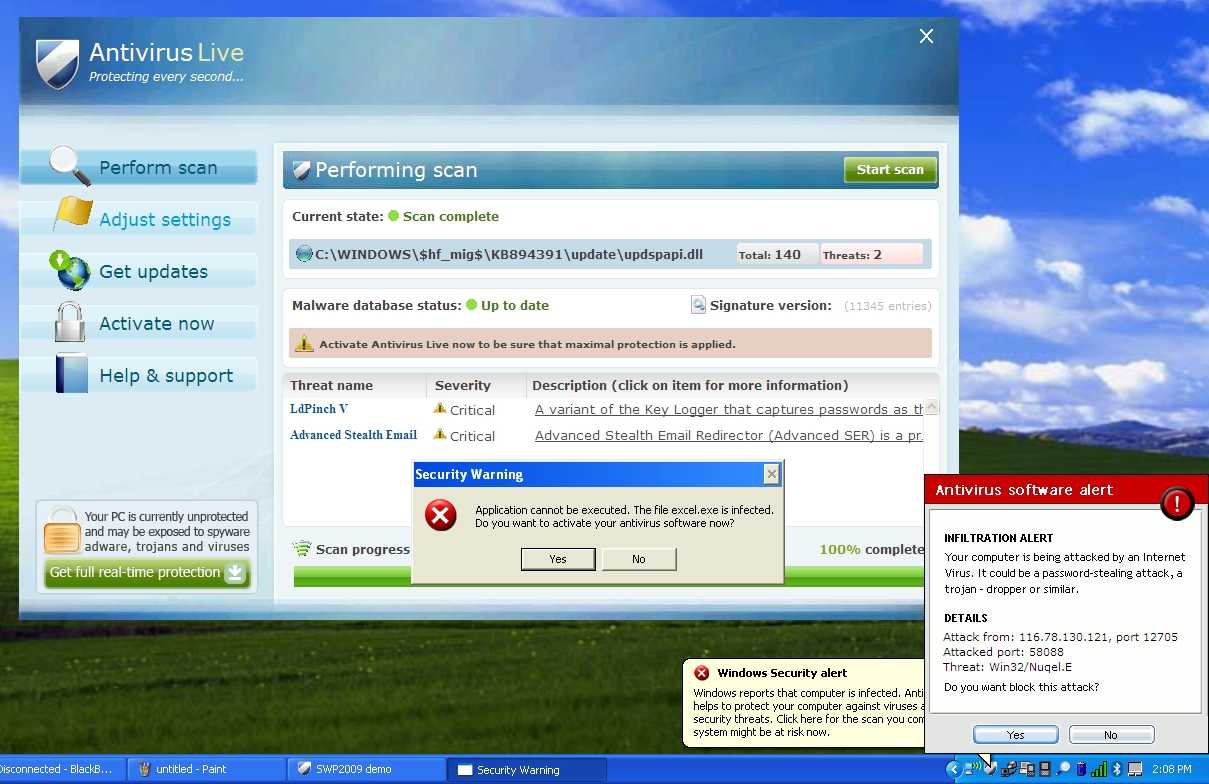
  • How To Remove Antivirus Live and Other Rogue/Fake Antivirus Malware

    If you’ve got a PC infected by the Antivirus Live virus, you’ve got a tough job ahead of you to remove it. And we’ve got the instructions to help.

    Antivirus Live is one of many fake antivirus applications that are really rogue viruses that take your computer hostage—then they tell you that your computer is infected by viruses, and you have to pay them to get rid of the fake viruses that aren’t really there. It’s a huge problem, and they are not easy to remove, because they block virtually everything you try and run, including real anti-malware tools.

    Rogue/Fake Antivirus Live

    Removing Rogue Fake Antivirus Infections

    There’s a couple of steps that you can generally follow to get rid of the majority of rogue antivirus infections, and actually most malware or spyware infections of any type. Here’s the quick steps:

    Note that some malware will block you from using safe mode. That usually requires another set of steps that we won’t cover here.

    Let’s Remove Antivirus Live

    The first thing you’ll want to do is reboot your computer, and hit the F8 key right before Windows starts loading (you can hit it a bunch of times). Then select the Safe Mode with Networking option.

    image

    Before you do anything else, you’re going to need to fix the internet connection to work, because Antivirus Live changes IE to use a fake proxy server that prevents you from getting to anything else—and will also prevent you from installing and updating a real anti-malware software.

    image

    Now you’ll want to install SuperAntiSpyware (linked above), which you have hopefully downloaded via another computer already, but safe mode with networking should allow you to download and install it.

    Once you load it up, it’s going to do some analysis…

    image

    Then you’ll see the full application screen, where you’ll want to use the Check for Updates button to make sure you have the latest definitions. Once you’ve done that, click the Scan your Computer button.

    image

    Select your primary drive at least, though you should pick all the drives, and then click the Perform Complete Scan button. 

    image

    It’ll run for a long time, detect a bunch of stuff, and then you can proceed through the wizard to actually removing it all…

    image

    Once it’s all done, you can reboot the PC again (just make sure to go back into Safe Mode again).

    image

    Next you’ll want to install Malwarebytes, make sure to check the Update tab for the latest definitions, and then perform a full scan of your system.

    image

    Malwarebytes will find even more malware that SuperAntiSpyware missed (seems like you always need more than one util to get it all). Just be sure to click the Remove Selected button to get rid of the rest.

    image

    At this point you’ll want to reboot your system, and then install Microsoft Security Essentials and run another full scan. Can’t hurt to be too cautious!

    Note: If you used a thumb drive at any point during this process, you should make sure and scan that as well—I’ve had viruses hop over to the thumb drive, ready to infect the next machine.

    Similar Articles Tinyhacker – Tiny Geek Hacks
    Latest Software Reviews Super User Daily

  • Iomega v.Clone App Portable-izes Your Entire PC [Virtualization]

    It’d be easy to get knotted up in jargon describing v.Clone, so let’s stick with the concept for now: It’s a syncable, complete image of your PC, which you can boot run from basically any other PC. And it’s free.

    To anyone who’s used mainstream backup software, this probably sounds too good to be true. In a way, yes, it is. But the tradeoff is minimal, and the payoff is more than worth it. Here’s the deal:

    v.Clone EMC owns Iomega, which makes portable hard drives. EMC also owns VMWare, which makes virtualization software around. v.Clone is essentially a portable installation of VMWare, meaning that you can plug your v.Clone-loaded Iomega portable HDD into most any Windows computer, run the app, and boot into your saved virtual machine. The secret, though, lies in what you're booting into—namely, a perfect copy of your main PC.

    In other words, v.Clone lets you make a full copy of your primary PC—including apps, media, settings, etc—to a VMWare image, run said copy from other Windows-based computers, and upon reconnection with the primary PC, sync any changes you made while running the virtual machine back to your main PC. Likewise, any changes you've made on your host PC can be synced to your virtual machine, so your v.Clone image is more or less a virtualized, up-to-date clone of your main PC. We haven't been able to try it out yet, but Iomega assures us that the whole system isn't as ass-slow as it sounds like it could be, because the syncing process is incremental—if you only change a few things on your virtualized image, syncing it with your host PC won't take more than a few minutes.

    There are a couple of catches here: the software may be called v.Clone, but it’s not creating a traditional, raw image clone. If your main PC faceplants and destroys itself, your v.Clone image will let you salvage your data, but it won’t let do a full restore, like Norton Ghost or Time Machine. And despite the fact that portable HDDs are all exactly the same, this software will only work with Iomega drives. But still, kinda genius! (If you happen to this particular brand of totally commodified product!)

    v.Clone is available for owners of Iomega USB portable hard drives, including the full eGo and Prestige lines. [Iomega]


  • Riders GM Tillman pleads guilty to sexual assault

    Saskatchewan Roughriders general manager Eric Tillman has pleaded guilty in Regina provincial court to sexual assault involving a teenage girl.

  • Astonishing Burj Dubai Opening Fireworks Will Boggle Your Mind [Fireworks]

    Forget about any Olympics inauguration ceremonies or any Fourth of July: The Burj Dubai is the tallest building in the world, and it got the highest fireworks too for its opening ceremony. So colossal you’ll think they are destroying it.

    The tower—which officially is 2717 feet tall (828 meters)—was inaugurated today, and the developers launched it with all they got. The people who attended the ceremony couldn't stop cheering in awe. I don't blame them. Watch the whole video to see the lighting effects just before the final fireworks. They look designed by aliens.


  • Understanding Windows 7’s ‘GodMode’ [Windows]

    Although its name suggests perhaps even grander capabilities, Windows enthusiasts are excited over the discovery of a hidden “GodMode” feature that lets users access all of the operating system’s control panels from within a single folder.

    By creating a new folder in Windows 7 and renaming it with a certain text string at the end, users are able to have a single place to do everything from changing the look of the mouse pointer to making a new hard-drive partition.

    The trick is also said to work in Windows Vista, although some are warning that although it works fine in 32-bit versions of Vista, it can cause 64-bit versions of that operating system to crash.

    To enter “GodMode,” one need only create a new folder and then rename the folder to the following:

    GodMode.{ED7BA470-8E54-465E-825C-99712043E01C}

    Once that is done, the folder’s icon will change to resemble a control panel and will contain dozens of control options. I’m not sure it’s my idea of playing God, but it is a handy way to get to all kinds of controls.

    I’ve asked Microsoft for more details on the feature and how it came to be. But so far, Redmond is silent on the topic.

    This story originally appeared on CNET


  • World’s tallest skyscraper opens in Dubai

    The world’s tallest skyscraper formally opened Monday in Dubai. The Burj Khalifa is more than 160 storeys tall, rising more than 800 metres into the sky.

  • Wallpaper Juggler Downloads and Rotates Fresh Wallpaper [Downloads]

    Windows: Whether you’ve already got a folder full of wallpaper or you’d like to find some new images for your desktop, Wallpaper Juggler can rotate and keep your backgrounds fresh.

    Wallpaper Juggler is a small application that does two things: it rotates existing wallpaper in your wallpaper directory on a schedule of your choosing and it downloads new wallpaper from both Interfacelift—the winner of our Wallpaper-centered Hive Five—and Wallpaper Stock. Between the rotation of your already collected wallpaper and the infusion of new wallpaper in the size you specify from the aforementioned sites, you’ll never have to stare at a bland desktop again.

    Have a favorite tool for keeping your desktop fresh? Let’s hear about it in the comments.


  • Cacoo Makes Diagram Creation amd Collaboration Simple – Charts – Lifehacker

    If you need to make diagrams, wire frames, network charts, and more but you don’t have much experience with graphic design, Cacoo makes chart creation as simple as drag and drop.

  • Avatar Makes $1 Billion in 17 Days [Movies]

    Apparently, the $300-$500 million budget paid off. Right now, with over $1 billion in worldwide sales, Avatar is the third highest grossing movie of all time. It could even take down Titanic‘s $1.8 billion record. [Inquirer via Techie via boingboing]


  • Canadian juniors advance to gold-medal game

    Defenceman Marco Scandella and his teammates made sure that Canada advanced to its ninth consecutive world junior tournament final with a 6-1 victory against a determined Switzerland team at Saskatoon’s Credit Union Centre on Sunday, setting up a date with the United States in the gold medal game.

  • No Conroy, Phaneuf for skills competition

    First things first.

    Dion Phaneuf and Craig Conroy didn’t participate in the skills competition. Both are banged-up (but both were on the premises). Cory Sarich, for what it’s worth, did take part Sunday afternoon.

    No official word on any of the injured chaps.

    Now, here’s how the skills contest went.

    ==

    FASTEST SKATER

    * Freddie Sjostrom — 13.589

    * Mark Giordano — 13.958

    * Nigel Dawes — 14.043

    Note: Curtis Glencross, a two-time winner in this event (last year with the Flames, the season before with the Oilers), took a pass, citing a slight injury.

    ==

    SHOOTING ACCURACY

    * Staffan Kronwall — five pucks (to hit four targets)

    * Jarome Iginla — six pucks

    * Nigel Dawes — six pucks

    ===

    HARDEST SHOT

    * Jarome Iginla — 102.3 mph

    * Curtis Glencross — 100.1 mph

    * Robyn Regehr — 98.1 mph

    ===

    BREAKAWAY RELAY (on Curtis McElhinney)

    * Robyn Regehr — 2 for 2

    * Nigel Dawes — 2 for 2

    * Jay Bouwmeester — 2 for 2

    ===

    The Flames, quite possibly with reinforcements, leave Monday morning for Nashville.


  • New Windows Live Messenger Wave 4 screenshots

    A new group of Windows Live Messenger Wave 4 screenshots have been revealed by livesino.net, a month after Neowin originally posted the first screenshots. Since our previous post, the Windows Live team improved on the Windows 7 taskbar integration, adding in quick status markers for available, away, busy and appear offline. Windows Live Messenger Wave 4 will come with tabbed conversations, much the same way Internet Explorer 8 works. One other noticeable change is the 'x' close button at the bottom of users' chat windows, possibly allowing people to hide the advertisement. Other changes are in the "Select an Emoticon" menu, with a rearrangement of icons with Winks now included.

    Read full story…

  • Fans buzzing over Oilers’ New Year’s bill

    Hockey fans are buzzing about allegations that members of the Edmonton Oilers refused to pay the full cost of a nearly $17,000 night out at an upscale Calgary restaurant.