Windows, Mac and Linux users can now access the 64-bit beta version of Flash Player. [Adobe via 9to5Mac] More »

-
Adobe’s 64-Bit Flash Player Available Now [Adobe]
-
Halo: Reach soundly beats Halo 3 first-day sales records
Halo: Reach, the latest installment in Microsoft’s wildly popular video game franchise, is proving to be the fastest-moving title in the series yet, Microsoft said on Wednesday.
In the first 24 hours that Halo: Reach has been available, it has pulled in more than $200 million in sales in the US and Europe, making it the fastest-selling game Microsoft has ever released.
“Every major installment has grown in scope and popularity, firmly cementing the ‘Halo’ franchise as one of the most popular entertainment properties in the world over the past decade,” Microsoft Game Studios’ corporate vice president Phil Spencer said in a statement Wednesday evening.
Indeed, the popularity of the franchise appears to be enjoying unabated growth, and each new release has broken the records set by its predecessor, (at least according to Microsoft’s tallies.) Halo 3, for example, earned $170 million in its first day of availability when it launched in 2007, which broke the $125 million record set by Halo 2 in 2004.
By the end of Halo 3’s first week of availability, it had earned $300 million, and Halo: Reach looks to be well on track to break that record as well.

Tony Bartel, President of video game retailer GameStop predicted that Halo: Reach will be the “biggest title in the series as well as one of the biggest titles in 2010.” GameStop held midnight launch events in 4,000 of its stores on Tuesday, and eyewitness accounts tell of lines more than one hundred customers long waiting to get the game at stores all over the U.S.
GameStop is hoping to stretch out that first day excitement a bit longer by hosting a post-launch Halo: Reach tournament called “Melee by the Bay.” The tournament has participating GameStop locations hosting one-on-one tournaments beginning on September 24, which are then followed by a national four-on-four online tournament with a $15,000 grand prize.
Copyright Betanews, Inc. 2010


microsoft game studio – Halo 3 – Halo Reach – Video game – Microsoft -
Siphon Synchronizes Firefox Add-Ons Simply [Downloads]

Windows/Mac/Linux (Firefox): If you’ve got multiple Firefox installations across different computers, or just find yourself setting up Firefox often, Siphon is a must-add. This extension simply syncs a list of add-ons between browsers, with easy installation and deletion buttons for each. More »

-
Ottawa lands 2012 NHL all-star game
The NHL confirmed Wednesday that the city of Ottawa will host the 2012 all-star game.
-
This Is How YouTube Works [YouTube]

What, you think all those lolcat videos and emo webcasts just get to your computer by magic? Not so, my friends. Here’s how YouTube videos actually get from smartphone to small screen. More »
-
Internet Explorer 9 Is Focused on Customized, Windows-Integrated Webapps [Webapps]

Fast Company got some preview time with the Internet Explorer 9 beta, due out today. The big change-up? IE9 will offer customized, stand-alone app-like experiences through Microsoft’s partners, like Amazon, Twitter, IMDB, and others, along with fuller HTML5 support. More »
-
Google Me Coming This Fall To Make Your Web Even More Social [Google]
-
NHL approves tiebreaker revision
Shootouts will be a little less important in the NHL next season as the league’s board of governors approved a bylaw revision Tuesday for use when teams are tied in the standings at the end of the season.
-
Dell’s Atom-powered Inspiron Duo: 10-inch netbook / tablet hybrid with a crazy swivel (update: more video and detailed press photo!)

Boy, did Dell show just off the craziest device on stage at Intel’s IDF 2010 day two keynote. What started as a tablet device converted to a netbook just by opening to the keyboard and literally swiveling the screen from within the frame. This hybrid’s got a 10-inch screen, houses a dual-core Atom N550 and runs Windows 7 Premium. And if it looks at all familiar, that’s because we saw something eerily similar in a leak from April (hello, Sparta). No price given and Dell isn’t providing us any more details, but it should be released by the end of this year.
Update: It ain’t pretty, but we managed to bum rush the stage and get some footage of the Inspiron Duo during as it made its transformations to and from a keyboard-equipped existence. It’s after the break… along with a press photo!
Update 2: And now we’ve got a much clearer video for your enjoyment. Check it out!
Update 3: Dell sent over a pretty hefty press photo, so we decided to break it down piece-by-piece. To the gallery!
Dell’s Atom-powered Inspiron Duo: 10-inch netbook / tablet hybrid with a crazy swivel (update: more video and detailed press photo!) originally appeared on Engadget on Tue, 14 Sep 2010 15:32:00 EDT. Please see our terms for use of feeds.
Permalink | | Email this | Comments
-
Insync Keeps Your Files and Google Docs Synced and Backed Up [Downloads]

Windows and Mac OS X: Insync is a new syncing and backup service similar to Dropbox (a Lifehacker favorite), but comes with a bunch of great additional features, like syncing your Google Docs and Gmail contacts. More »
-
Microsoft Principal Researcher Bill Buxton: Surface will be in homes within three years

Microsoft‘s Principal Researcher recently sat down for a very long interview with The Globe and Mail. The next big thing in tech, he says, is something like Microsoft’s already available (but super expensive) Surface. So what does the next version of the Surface look like? Well, it’s going to be much thinner — “no thicker than a sheet of glass,” but most importantly, it will cost much much less. The man who helped design what ultimately became Surface says that soon enough, the cameras will be embedded within the device itself, making it a low-cost, in home product rather than the niche product it is today. Buxton also said in the interview that he thinks we’ll begin seeing home implementation within the next three years. We sure hope that he’s correct.
Microsoft Principal Researcher Bill Buxton: Surface will be in homes within three years originally appeared on Engadget on Mon, 13 Sep 2010 22:30:00 EDT. Please see our terms for use of feeds.
-
Share private Picasa Web Albums privately in Buzz
Posted by Jonathan Sposato, Product Management — Photos Team
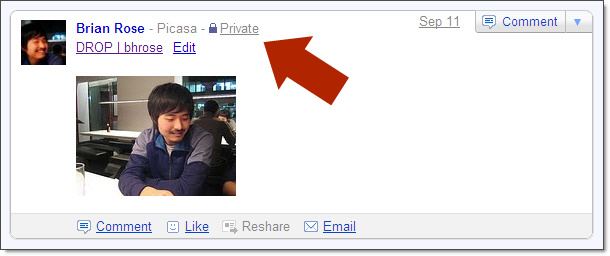
It used to be all or nothing when it came to sharing a new Picasa Web Album in Buzz. If you created a public album in Picasa Web Albums, it created a public Google Buzz post. That was great for when you wanted to share your photos broadly. But for those times when you wanted to share with a smaller circle — no Buzz.
Now when you create a private album, the select people you choose to share your photo album with will see a notification in Google Buzz as well.

Just make sure you have Picasa Web Album as one of your connected sites in Buzz to take advantage of this easy way to share your albums.

-
How to Enable Desktop Notifications for Google Calendar in Chrome
One of the primary features that kept me using Outlook’s calendar was the desktop notifications that popped up to remind me when it was time for another boring meeting. Now with Google Calendar and Chrome notifications, I’ll never miss the chance to sleep through another meeting.
Seriously, meetings are boring.
But more to the point, if you’re using Google Chrome there’s a built-in desktop notifications feature, and all you have to do is enable a Labs feature in Google Calendar to get it to start showing notifications on your desktop.

Make Sure Chrome Has Desktop Notifications Enabled
The first thing you’ll want to do is make sure that Chrome is set to allow desktop notifications. Head into Tools –> Options –> Under the Hood –> Content settings.

Next, select Notifications on the left-hand side, and then make sure the middle option for “Ask me when a site wants to show desktop notifications” is selected. You may want to click on the Exceptions button and make sure Google Calendar isn’t blocked in there.

Enable Desktop Notifications in Google Calendar
Now that we’ve made sure Chrome is configured properly, you’ll want to head into Google Calendar, open up the Settings link in the top right, and then go to the Labs section.

Find the “Gentle Reminders” item in the list, click the Enable button, and then Save at the bottom. If the option is already enabled but you aren’t getting desktop notifications, you should disable it, Save, and then Enable it again.

Once you’ve clicked the Save button you’ll see a bar show up across the top of the window, and you’ll need to click the Allow button.

As soon as you do, you’ll see a sample notification to show up on the bottom of the screen.

You’ll have to manually close out of the notifications, which is slightly annoying sometimes, but it’s probably a good thing so you won’t miss an important reminder.

-
59% live paycheque to paycheque: poll
Almost 60 per cent of Canadians live paycheque to paycheque and say they’d be in financial difficulty if their paycheque were a week late.
-
Chattanooga becomes home to 1Gbps internet service, just $350 per month

It pales in comparison to Sigbritt Löthberg's home internet connection, but it sure makes Comcast’s Extreme 105Mbps broadband package look downright sluggish. EPB Fiber Optics (Chattanooga’s municipally-owned fiber-to-the-premises network) and Alcatel-Lucent have teamed up to offer America’s “fastest” home broadband service — a service that brings 1Gbps (or 1000Mbps, if that strikes you better) directly to your PC. Best of all, the service is actually on sale starting today, and every single home and business within EPB’s 600 square-mile, nine-county service area will be able to access the network. Oh, and in case you’re wondering, this actually isn’t affiliated in any way with Google’s own proposed 1Gbps service, which likely means that this record will only sit in southeast Tennessee for a few months. Still, we hear this place is some kind of beautiful in the fall, but make sure you’re cool with a $350 monthly charge before pulling the trigger on a relocation.
Update: Tipster Jens notes that he can get a 1Gbps connection for 900 SEK per month in Stockholm, or around $126. Baby steps, we Americans are taking.
Continue reading Chattanooga becomes home to 1Gbps internet service, just $350 per month
Chattanooga becomes home to 1Gbps internet service, just $350 per month originally appeared on Engadget on Mon, 13 Sep 2010 11:48:00 EDT. Please see our terms for use of feeds.
-
Happy 25th Birthday, Super Mario Bros. [Nintendo]

On September 13, 1985, Super Mario Bros. was released in Japan, meaning the world’s most famous plumber’s most famous game is now 25 years old. Happy birthday! More »
-
How to Resize All Window Columns with a Single Keystroke
When you’re dealing with an application that displays data in a set of columns, it’s often frustrating to have to resize each column separately—but today we’ve got a great trick for you that resizes all the columns with a single keystroke.
The secret keystroke to use is Ctrl and the Numpad’s + key, and it only works if you have a separate number pad on your PC—but we’ve also found a workaround for that as well. Keep reading.
Here’s How It Works
To better illustrate exactly how this trick works, we’ve put together a short video that shows the keyboard shortcut in action.
Resize All Columns with the Keyboard
In case you can’t load the video, here’s how it works—if you look at this example window, you’ll see how the columns are all bunched up, and you can’t see all of the data in them without resizing them, which can be frustrating.

Simply press the Ctrl key and the Numpad + key together, and you’ll see all of the columns instantly resized to fit the content:

Very useful in many situations!
Resize a Single Column the Quick Way
Sometimes you don’t want to resize all the columns, but you’d like to resize a single column to fit the content. All you need to do in this case is double-click on the separator between the columns, and it will instantly be resized to fit.

This trick works in just about every application that we’ve ever used.
Got a Laptop without a Number Pad? Use AutoHotkey to Remap!
And now we get to the good stuff, for all those of us who use a laptop and don’t have a number key pad—in fact, I had to pull out a dusty keyboard just to test out this trick. The simple solution for all of us is to simply setup an AutoHotkey key mapping to map another keystroke to send Ctrl+NumpadAdd instead.
For instance, I’ve assigned the shortcut key combination Alt + to resize the columns, but of course, you could assign anything to it:
!=::Send,{LCtrl down}{NumpadAdd}{LCtrl up}
All you’ll need to do is create a new AutoHotkey script, paste in that single line, and then double-click on it for it to work.
Thanks for pointing out the original tip goes to WinSuperSite
-
Turn On Google Instant in Chrome [Chrome]

It’s not quite the same as the results-as-you-type-every-letter Google Instant, but Chrome’s Dev channel and Canary builds offer a switch that turns on a kind of instant search for Chrome’s Omnibar, which you may find really helpful or kind of distracting. More »
-
Tillman set to become Eskimos GM: report
Eric Tillman will be the new general manager of the Edmonton Eskimos, according to the Edmonton Journal’s website.